Skip to content
LawKPIs logo — law firm performance and AI platform

Customer stories

LawKPIs customers

  • Cathie Wright of Pierro, Connor & Strauss, LLC sharing their LawKPIs experienceCustomer story

    Pierro, Connor & Strauss, LLC

    System
    Clio

    From hours of Excel updates to a bi-weekly export

    In their words

    • Replace hours of Excel updates with a bi-weekly export.
    • Review WIP, receivables and escrow balances by practice area.
    • Track attorney productivity and flat-fee realization.
    “We're no longer spending hours updating Excel spreadsheets. I literally hit export on a bi-weekly basis, and we're able to get all of the data we're looking for in Clio, so we know it's accurate.”

    Cathie Wright · Firm Administrator
  • Ryan Very of Very Law sharing their LawKPIs experienceCustomer story

    Very Law

    An hour each day freed from manual reporting

    In their words

    • Free an hour each day previously spent building reports manually.
    • Share billable-hour and payment information across the firm.
    • See where cases originate and which practice areas are profitable.
  • Jason Wagner of Wagner Oehler, Ltd. sharing their LawKPIs experienceCustomer story

    Wagner Oehler, Ltd.

    Firm size
    Nine attorneys
    System
    MyCase

    At least 10 hours a month of spreadsheet work replaced

    In their words

    • Replace at least 10 hours a month of manual spreadsheet preparation.
    • Receive recurring flat-fee profitability and attorney performance reports.
    • Send aged receivables reports to the bookkeeper for payment follow-up.
  • Moriah Bullman of Allen Stahl + Kilbourne sharing their LawKPIs experienceCustomer story

    Allen Stahl + Kilbourne

    Moriah uses LawKPIs to review firm and employee performance across daily, weekly and monthly decisions.

    In their words

    • See employee performance alongside revenue and outstanding bills.
    • Compare billable and non-billable work visually.
    • Review firm and attorney performance across monthly and quarterly periods.
    “Now that we have LawKPIs, I'm going in pretty much every day to evaluate where we are, how our employees are performing, and how the attorneys are performing for their clients.”
    Moriah Bullman · Finance Manager
  • David Pyke of Pyke & Associates, P.C. sharing their LawKPIs experienceCustomer story

    Pyke & Associates, P.C.

    System
    Clio

    David replaced multiple Clio reports with instant, real-time visibility into the basics of his firm’s finances.

    In their words

    • Check firm finances without running multiple separate reports.
    • Gauge the firm’s economics with less time spent gathering information.
    “I've been using LawKPIs for about a year to give me instant, real-time information on the basics of my firm finances that I would have to run multiple reports from Clio to get otherwise. It allows me to quickly keep a gauge on my law firm economics without spending a lot of time doing that.”
    David Pyke · Attorney at Law
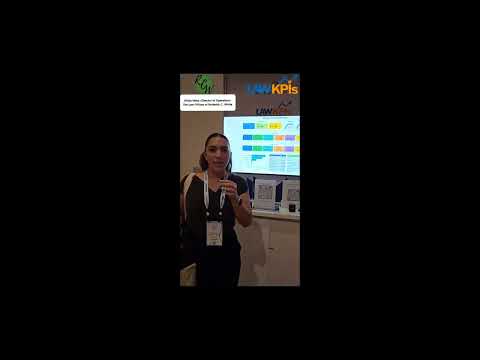
  • Hannah Hembree of Kaplan Law Firm sharing their LawKPIs experienceCustomer story

    Kaplan Law Firm

    Kaplan Law Firm moved from delayed, inconsistent reporting to a current source of truth for revenue, compensation, forecasting and growth decisions.

    In their words

    • Review revenue and profitability across contingency and hourly work.
    • Use one current source for compensation decisions and forecasting.
    • Get guidance on how to view and use the firm’s financial data.
    “For the first time, we have one clear place where we can go and know the data will be current and accurate. When you're running a growing firm, having that single source of truth is incredibly powerful.”
    Hannah Hembree · Director of Operations
  • Nate Riordan of West Coast Franchise Law sharing their LawKPIs experienceCustomer story

    West Coast Franchise Law

    System
    Clio

    Nate uses LawKPIs to see Clio data in forms he can't get through Clio, including custom reporting built around how the firm handles compensation.

    In their words

    • View Clio data in forms suited to the firm’s needs.
    • Use custom reporting for the firm’s compensation arrangements.
    • Get responsive support and advice beyond the software itself.
    “It gives me access to data in forms that I can't get through Clio. And so it makes Clio better for me.”
    Nate Riordan · Founder & Owner
  • Vanessa Brown of Mandy Hancock Law sharing their LawKPIs experienceCustomer story

    Mandy Hancock Law

    System
    Clio

    Vanessa's firm uses LawKPIs for utilization and realization reports, pulling data out of its main system instead of building those reports manually.

    In their words

    • Generate utilization and realization reports from the firm’s main system.
    • Read extracted data in straightforward spreadsheets.
    • Reduce time and effort spent pulling reports manually.
    “It has saved us so much time and so much extra energy into pulling these reports out of the system manually.”
    Vanessa Brown · Operations Manager
  • Natasha Vondracek of Atticus Family Law sharing their LawKPIs experienceCustomer story

    Atticus Family Law

    System
    Clio

    Clio reporting required trial and error. LawKPIs gave the firm clear, color-coded reporting and automated email delivery after Natasha evaluated three other providers.

    In their words

    • Find the reports the firm needs without repeated trial and error.
    • Receive scheduled reports by email instead of running them manually.
    • Customize reports around the firm’s daily review needs.
  • Steven McClelland of McClelland Law Firm, P.A. sharing their LawKPIs experienceCustomer story

    McClelland Law Firm, P.A.

    Steven was building productivity reports manually in Excel. LawKPIs brought office and practice-area views together and made weekly reporting easier.

    In their words

    • Replace manual Excel report preparation with a current productivity view.
    • Compare offices, practice areas and associate performance.
    • Review scheduled weekly reports before month-end.
  • Erin Moskal of Edwards Creative Law sharing their LawKPIs experienceCustomer story

    Edwards Creative Law

    System
    Clio

    Erin needed more detail than Clio reports provided. LawKPIs combined Clio Grow, Clio Manage and Google Analytics in one place and automated reporting.

    In their words

    • Review Clio Grow, Clio Manage and Google Analytics together.
    • Email recurring reports to the people who need them.
    • Tailor report detail with help from the development team.
  • Alexandria Goff of Goff Legal PC sharing their LawKPIs experienceCustomer story

    Goff Legal PC

    System
    Clio

    Alexandria brought billing, accounts receivable, referrals and matter-closure data together in the primary dashboard she reviews each week.

    In their words

    • Review revenue, receivables and open matters in one place.
    • See referrals and matter conversion alongside firm finances.
    • Identify employees needing support and clients with unpaid bills.
  • Tonya VanBenschoten of Shur Law Co., LPA sharing their LawKPIs experienceCustomer story

    Shur Law Co., LPA

    Firm size
    Six attorneys

    When a prior provider stopped supporting fee allocation, LawKPIs supplied the reporting the six-attorney firm needed.

    In their words

    • Allocate fees to the attorneys assigned to or billing on a case.
    • Support the firm’s salary-plus-percentage compensation structure.
  • Joshua Massingill of Massingill Attorneys & Counselors at Law sharing their LawKPIs experienceCustomer story

    Massingill Attorneys & Counselors at Law

    Firm size
    About six attorneys and 10–11 team members

    Joshua moved from calculator-based KPI tracking to reporting tailored to a growing flat-fee firm of about six attorneys and 10–11 team members.

    In their words

    • Check current firm performance without manual calculator-based reporting.
    • Track flat-fee utilization in dollars rather than only billable hours.
    • Customize reports around the measures the firm uses for decisions.
  • Nicole Tedford of CPN Legal sharing their LawKPIs experienceCustomer story

    CPN Legal

    In their words

    • Understand staff utilization and available capacity.
    • Combine payroll exports with Clio data for a custom utilization report.
    • Use capacity information to guide hiring and client decisions.
  • Kimberly Mullinax of King Law sharing their LawKPIs experienceCustomer story

    King Law

    In their words

    • Streamline the firm’s reporting process.
    • Use the data to inform employee incentives and additional training.
    • Review the business as a whole when making decisions.
  • Kari Fougner of Bortman Law sharing their LawKPIs experienceCustomer story

    Bortman Law

    Kari says LawKPIs gives Bortman Law more visibility into utilization, collection rate and data gathering as a whole.

    In their words

    • See utilization and collection rates more clearly.
    • Improve visibility into the firm’s data gathering.
  • Thad Servi of Vazquez & Servi PC sharing their LawKPIs experienceCustomer story

    Vazquez & Servi PC

    Firm size
    About six attorneys; roughly twice as many legal assistants and paralegals

    Thad uses daily backlog views to balance work across about six attorneys and roughly twice as many legal assistants and paralegals.

    In their words

    • Review backlog by attorney and paralegal before assigning the next case.
    • Balance work levels to protect time for client service.
    • Compare new contracts and case values over time for growth planning.
  • Lisa Stam of Spring Law sharing their LawKPIs experienceCustomer story

    Spring Law

    Lisa describes LawKPIs as helpful and flexible for configuring the numbers Spring Law needs to use.

    In their words

    • Configure the numbers the firm needs to review.
    • Get flexible help with using the data for the firm.
  • Rob Dickson of DFPB Law sharing their LawKPIs experienceCustomer story

    DFPB Law

    Rob describes LawKPIs as a radar for the firm: core information he uses to help run DFPB Law.

    In their words

    • Keep the firm’s core management information in view.
    • Use that information as a regular check on the business.
  • Rose Ellen of Fairgrieve Law sharing their LawKPIs experienceCustomer story

    Fairgrieve Law

    System
    Clio

    Rose-Ellen says LawKPIs turned Clio data that was hard to see into visual reports with drill-down detail, backed by responsive report updates.

    In their words

    • See Clio data visually and drill down into details.
    • Revise reports to show the information the firm wants to review.
  • Latashia P. Francis of J. Michael Moore Law Firm P. C. sharing their LawKPIs experienceCustomer story

    J. Michael Moore Law Firm P. C.

    System
    Clio

    Latashia describes using LawKPIs to pull the case-related reporting the firm needs from its Clio data.

    In their words

    • Get case-related reports and information for weekly updates.
    • Request report changes when the firm needs different information.
    • Work with a team that checks proposed adjustments with the firm.
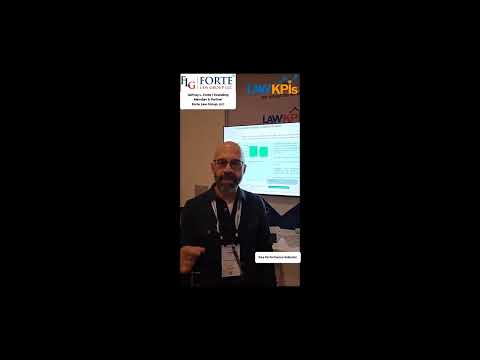
  • Jeffrey L. Forte of Forte Law Group, LLC sharing their LawKPIs experienceCustomer story

    Forte Law Group, LLC

    System
    Clio

    Jeffrey uses customized dashboards to understand financial health from intake through performance, beyond standard Clio reporting.

    In their words

    • Review financial health from intake through firm performance.
    • Customize reports for weekly, monthly and annual reviews.
    • Work with the team to identify KPIs relevant to the firm.

Watch all videos

36 customer and partner videos

Watch all videos

See LawKPIs in Action

See LawKPIs in Action