
Ask it
LawKPIs Connector
Ask about your firm right inside Claude.
The intelligence inside LawKPIs, in the AI assistant you already use. Ask about your firm's numbers in plain English, using the reports available to your LawKPIs account.
Included with every LawKPIs subscription.
Answers where you already work
Answers where you already work
Ask in Claude and get an answer built from the LawKPIs reports available to your account — no separate app to open.
Your real data, not guesses
Claude uses the reports and firms available through your LawKPIs account.
Go from answer to action
Follow up with a second question the way you would with a colleague — for example, which of those matters are with the same attorney.
Ask questions about your firm in plain English
Managing Partner
Decisions
“What should I be paying attention to today?”
COO / Firm Admin
Intervention and follow-up
“Which matters are at risk right now?”
Finance / Billing
Collections and follow-up
“Show me receivables over 90 days, by client.”
Power users
Answers on demand
“Who are our top billing attorneys this quarter?”
Reports on demand
AR aging
“Export the AR aging report as a PDF.”
Your real data, not guesses
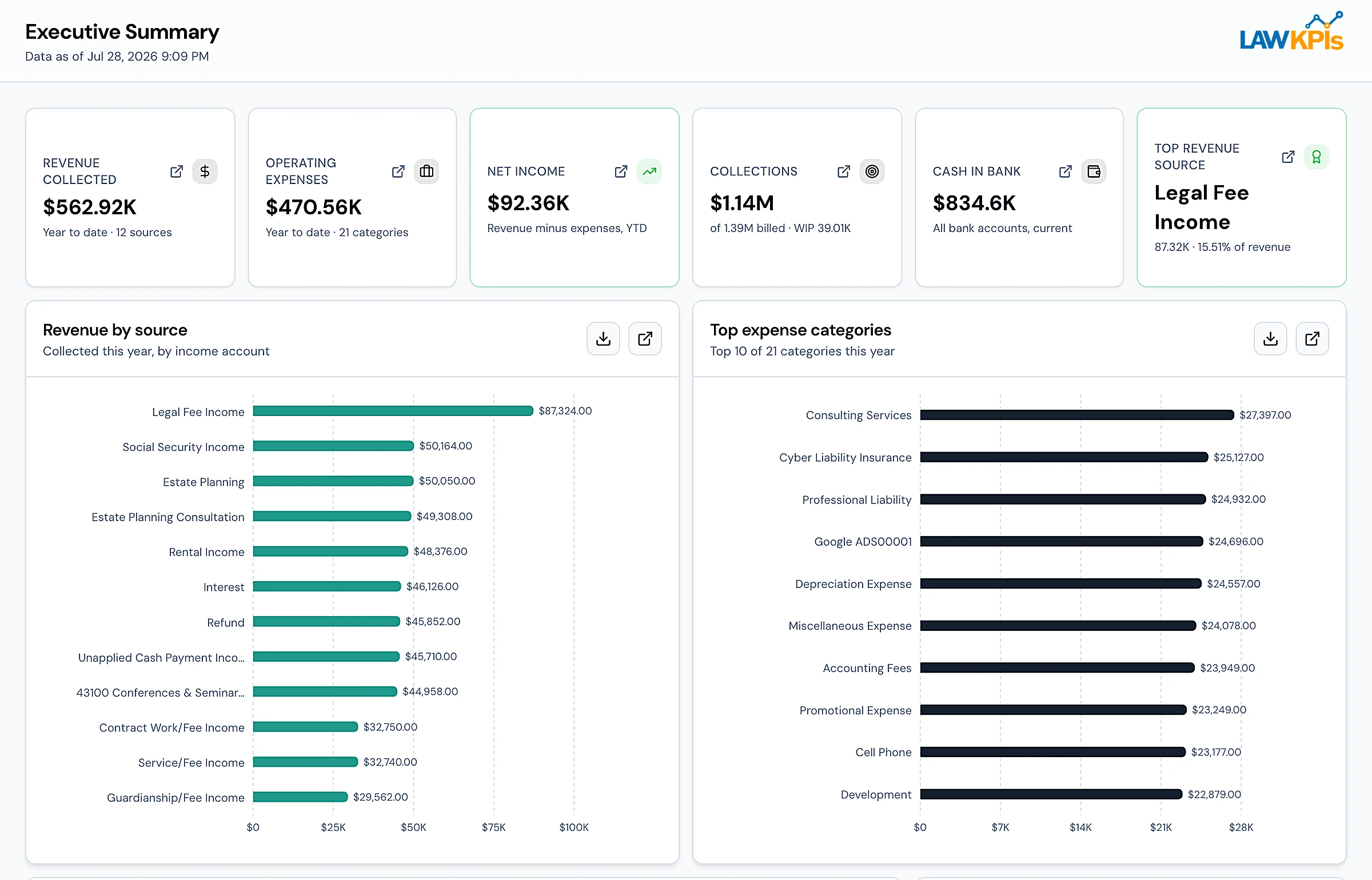
Claude uses your LawKPIs reports and can include a View in LawKPIs link to the underlying report.
Same permissions as LawKPIs
The Connector sends only the data the requesting user is already authorized to access, and only when the selected model requests it through a tool call. The Connector currently works with Claude, chosen by the user. Once data reaches that provider, the provider’s current data-use and privacy terms apply.
Claude sees only what you can see.
It uses your LawKPIs login, so it has access only to the reports and firms already available to you.
Your password stays with LawKPIs.
You enter it in the LawKPIs sign-in window, not in Claude.
You can remove the connection at any time.
In Claude, open Settings, then Connectors, find LawKPIs and select Remove. Nothing changes in LawKPIs.
Connector setup guide
Connect Claude to LawKPIs using the step-by-step Quick Start Guide. You need a paid Claude plan and your LawKPIs login.
See LawKPIs on a firm your size.
We'll walk through a firm your size using sample data.